
Best Ableton Push Alternative? Why I Built 7III Tap
Posted on | #apps #music #tap #project7iii #ableton
I’ve always wanted an Ableton Push alternative that lets me get ideas from my head directly into my music. A portable, instrument-like controller deeply integrated with Ableton Live. So after using Ableton Live for 20 years, I ended up building my own Ableton Push alternative for iPad and iPhone: 7III Tap.
Why I Needed an Ableton Push Alternative
I started making music in 2002 with some cracked music software and my first digital audio workstation, which I do not even remember the name of anymore.
After creating those first tracks, I kept thinking: how cool would it be to make electronic music live, in the moment?
That led me to Ableton, and to playing live with a lot of gear, including my first Ableton Live controller, the APC-40.
When the first Ableton Push came out in 2013, it obviously changed live music making and sequencing forever. The idea of a controller that truly feels like an instrument has stuck with me ever since. But I never fully clicked with it. Especially the sequencer. Something about the mechanics always felt wrong to me. Also, things like adding devices just weren’t direct or fast enough for my workflow.
Around 2015 came the Novation Circuit. Even with all its limitations, it felt like a much better groove machine for me. Somehow sequencing on fewer pads felt better than on Push. Faster, more musical, more immediate. This instrument still holds my gold standard for getting the most out of little and having an amazing playing experience.
Then, when Ableton dropped the iPhone/iPad app Note in 2022, I was like: oh wow, this might be something! I started looking around for an app that could make Ableton Live really feel like an instrument. I didn’t find one. Even today, I don’t think there is another app with a sequencer truly built for live performance the way I want. Even the sequencer in Ableton Note is not sturdy enough for quick, in-the-moment performance. With none of the existing tools fully matching how I wanted to perform live, I decided to build my own.
As the credo goes: “We do these things not because they are easy, but because we thought they would be easy.”
Building a Better Way to Play Ableton Live
The first iteration of Tap was only for iPhone and didn’t even have a sequencer. It had only the essentials:
- Track Bars
- Devices
- Banks with 8 Macros
- MIDI Pads for playing notes
- Always-ready MIDI Capture button
- Clip Launch view
- Mixer view
The core idea was simple: instant interaction, no friction.
The first prototype got picked up by quite a few people, so I kept going and started adding the features I had always wanted. With the goal of making Tap the best Ableton Live controller for live performance, I started using it in my revived Nils Mango Live performances. Eating my own dog food gives me a constant feedback loop:
I perform live, I hit limitations or bugs, I improve Tap. Then I perform again.
Over time I found many things missing and built them into Tap:
Follow Actions were not supported natively by the Ableton API.
→ So I made my own.
Automation decoupled from loop length for evolving modulation and textures?
→ Also not supported in the API, let's hack something together that does that too.
A companion tool that can musically mutate MIDI and later return to the original pattern?
→ Made my own. It's really cool to bring someone — the computer in this case — along to play with you, so you get controlled chaos: predictable unpredictability, variations that still feel musical and connected to the original idea.
What Makes Tap Different from Ableton Push
More than any individual feature, the biggest difference is simple: Tap just clicks for me.
It feels like the instrument I always wanted for Ableton Live. Fast, expressive, direct, and frictionless. With Tap, I can usually do exactly what I want, exactly when I want it. That creates a level of speed and self-expression I never fully found elsewhere. Instead of fighting the controller or adapting to its limitations, the tool gets out of the way and lets me focus on making music. That is the real reason Tap works so well for me.
Of course, there are also some concrete differences:
-
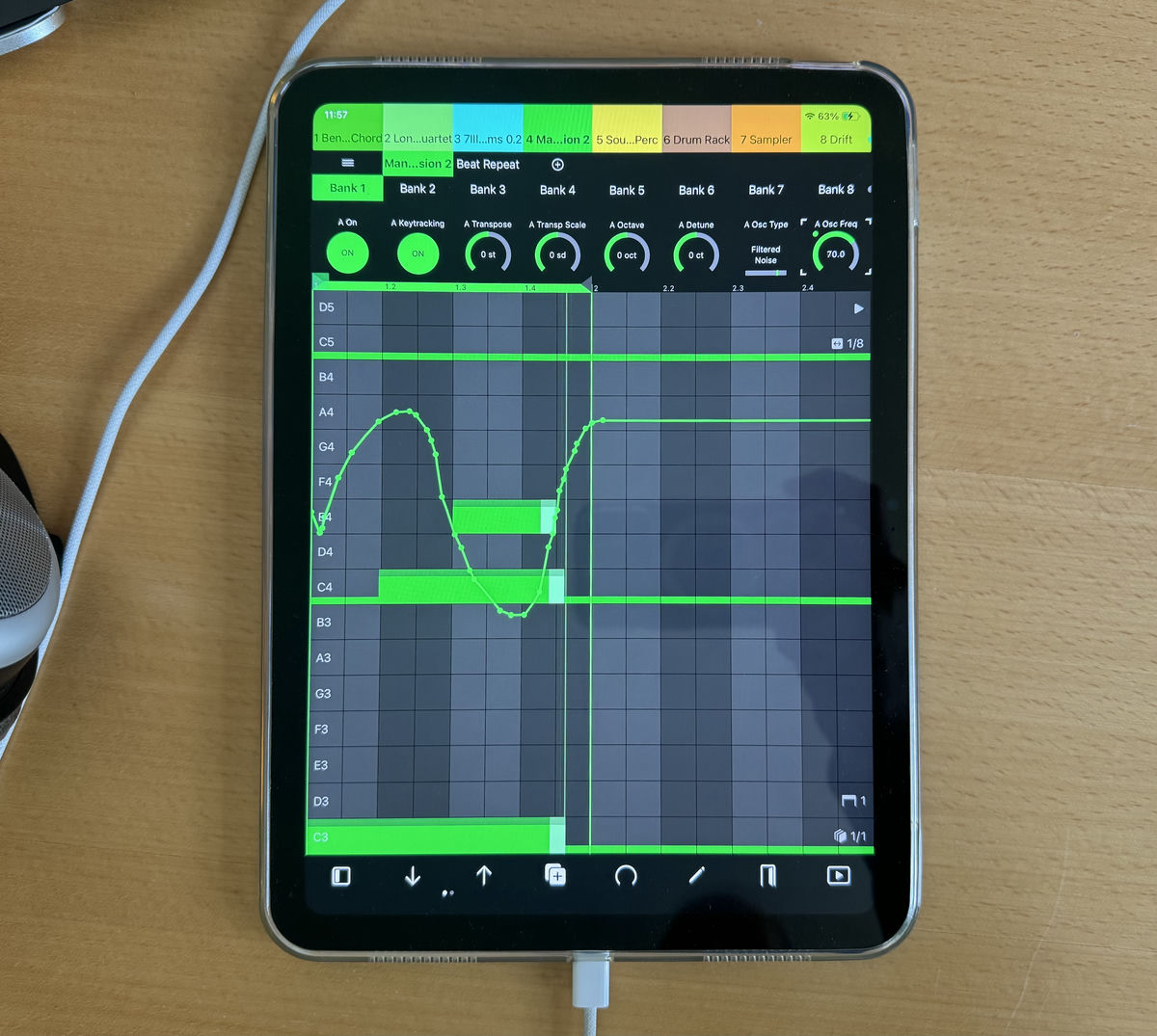
The biggest technical one is automation editing: Ableton Push still does not give me the kind of fast, direct automation editing I want during live performance. In Tap, automation is deeply integrated into sequencing. I can quickly record, view, and edit automation without breaking flow. For me, that is huge, because automation is not just mixing polish. It is composition and performance.
-
Step sequencing is another big one: I always found Push’s 8×8 grid a bit limiting for sequencing. It works, but it never felt optimal to me for quickly understanding what is happening in a pattern. Tap makes step sequencing easier to read at a glance, faster to edit, and more immediate during performance.
-
Then there is portability: An iPad or iPhone has a much smaller footprint than Push and costs dramatically less. That makes a huge difference for mobile setups and travel. You can build a serious live performance setup without dedicating half your table, backpack, or budget to a controller.
-
And finally, flexibility: Push is always Push. Your layout is set. Tap is far more adjustable. Views can be shaped around the task at hand, whether that is sequencing, device control, clip launching, mixing, or performance macros. I like adapting the interface to what I need in the moment instead of adapting myself to fixed hardware.
-
That said, Push still wins in some areas: Nothing quite beats real knobs (even though I would argue, moving more than 2 knobs at the same time is hard, especially bad for mixing, you can move as many parameter in Tap as you have fingers ready to deploy), and Push’s pads are naturally more expressive with velocity, pressure, and slide built in. Tap supports velocity too (and pressure as a macro control), but glass still cannot fully match the feel and nuance of dedicated hardware. Chopping up samples with sampler or simpler is also something that is still completely missing from Tap (July 2026)!
Tap as a Performance Instrument
I always liked the idea of the DAW as an instrument. To me, it remains one of the most creative ways to make music. That idea has shaped Tap from the beginning. Everything in Tap is designed to make live music creation as frictionless as possible. You might want to change an instrument, add an effect, write a melody, automate a parameter, nudge a few controls, or go in a completely new direction. Being able to turn that idea into reality with just a couple of taps (see what I did there?) is the very DNA of Tap.
Tap is now so refined and self-contained that every feature works comfortably even on an iPhone, meaning you can build a real live setup with nothing but your laptop and phone. I have even used it many times to perform live on an airplane, which feels like the ultimate test of how portable and versatile it really is.
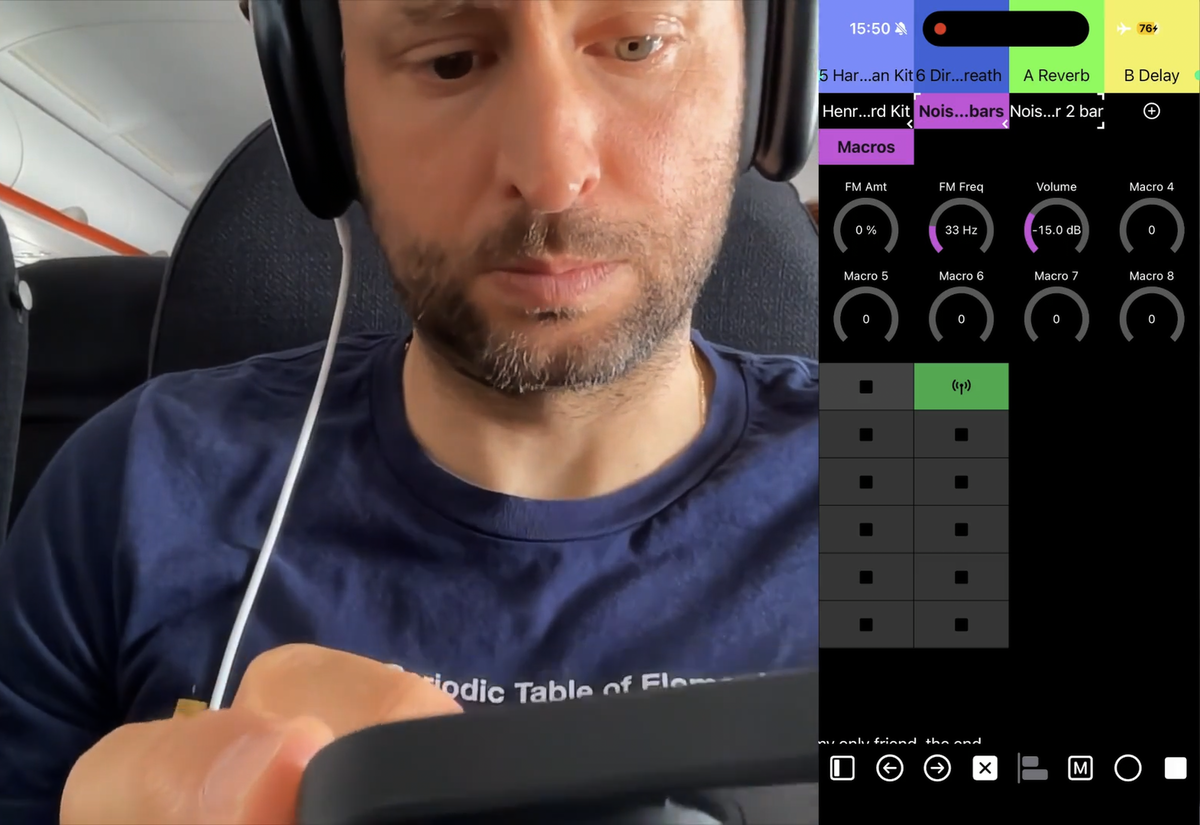
With the latest Tap 2.0.1 update, for example, mixing and send controls are available directly in Device View as Track Controls in the Devices Bar. Even clip triggering and clip selection can be handled through the Play Menu in the Footer Bar. This means you almost never need to switch views, making everything faster and much less disruptive to creative flow.
It seems that the best Ableton Live controller for me is also useful for other people. In the last 6 months, Tap has passed 2,000 downloads. This milestone meant it was about time to write and talk about it — but it does not stop there.
I would genuinely love to see how others use Tap, whether for live performance or in the studio. If you have a video of your setup, workflow, or even just an experiment with it, send it over. I’m especially interested in how people approach live performance in Ableton Live and what they build around it. Seeing different ways people use it is one of the most valuable parts of this whole process.
If you haven’t tried 7III Tap yet and own Ableton Live plus an iPad or iPhone, give it a try. You can test it free for 15 minutes every 24 hours.
Got questions, suggestions, comments, or just want to share this post?
→ Share on X, or email me (and I will add it to this post, if appropriate).